







Smart meeting rooms improve productivity, but they also introduce new security and management challenges for IT.
Hybrid work has transformed meeting rooms, shifting from simple AV setups to intelligent, network-connected environments filled with cameras, microphones, sensors, collaboration displays, and wireless sharing tools. While this digital evolution boosts productivity, it has also introduced two major challenges for IT teams: security and fragmentation.
According to Frost & Sullivan, security is now the top challenge for IT, with 66% of decision-makers considering it a significant or critical concern. Meeting rooms, once isolated spaces, are now filled with connected endpoints that can become unmonitored attack surfaces if not properly secured.
At the same time, Android now powers many meeting room devices. However, as each vendor ships its own Android variant, IT teams are forced to manage a mix of versions, custom interfaces, patch schedules, and security levels. This creates a heterogeneous fleet that is difficult to secure, manage, and update at scale.
This is precisely the challenge that the Microsoft Device Ecosystem Platform (MDEP) aims to solve, and why Barco built ClickShare Hub on it.
What is MDEP? (Beyond the acronym)
The Microsoft Device Ecosystem Platform (MDEP) is an Android-based platform built on the Android Open Source Project (AOSP) that enables device manufacturers and software developers to create, secure, and manage intelligent Android devices at an enterprise level using Microsoft’s security, management, and deployment tools.
It is not a fork or a new AOSP variant. Instead, it uses the AOSP foundation while adding Microsoft’s enterprise services for security, lifecycle stability, and device integration. Historically, Android-based devices have been implemented in inconsistent and fragmented ways. MDEP addresses this with a consistent, Microsoft-managed platform that is secure, stable, and uniform across vendors.
For IT leaders, the benefit is clear: a predictable, enterprise-grade Android foundation designed to reduce fragmentation and improve control at scale. Microsoft maintains a regular cadence, including monthly security patches and up to four feature releases per year, allowing manufacturers like Barco to keep devices up to date while focusing on differentiated hardware and experience. OEMs remain responsible for firmware; MDEP standardizes the OS layer.
AOSP vs MDEP at a glance
| Category | AOSP | MDEP |
|---|---|---|
| Foundational base | Open, highly customizable base managed by each OEM. | AOSP-based foundation managed by Microsoft with enterprise services for security, lifecycle, and device integration. |
| Security | Basic verified boot; varies by vendor. | Hardware-based attestation (PKI), app integrity services, and enterprise-hardened protections. |
| Update management | Schedules depend on the OEM and can be inconsistent. | Microsoft-managed monthly security patches plus feature updates; OEMs package firmware that incorporates these updates. |
| Accessibility services | Defined by the OEM. | Built-in accessibility services, including on-device Microsoft Text-to-Speech. |
| Target use case | General consumer use and embedded devices (TVs, phones, appliances). | Designed for a growing range of enterprise devices (collaboration systems, touch controllers, signage, etc.). |
How MDEP reduces fragmentation for IT
Managing mixed fleets of Android-based room devices often means handling different firmware, update cycles, and management portals. MDEP addresses this by providing:
- A consistent, Microsoft-managed Android OS foundation across vendors.
- A predictable update stream (monthly patches and feature releases).
- Alignment with Microsoft management services such as Intune for policy and compliance, and with the Teams admin center for monitoring and lifecycle management of Teams devices.
Result: fewer surprises, fewer management tools, and fewer security gaps.
A multi-layered approach to security
Security is non-negotiable in modern collaboration spaces. MDEP provides a foundation that includes:
- Hardware-based attestation (PKI): devices validate their identity before accessing the cloud.
- Secure foundation: secure boot and app integrity reduce the risk of unauthorized tampering.
- Enterprise-grade patching: monthly updates help respond quickly to vulnerabilities.
What ClickShare adds on top of MDEP
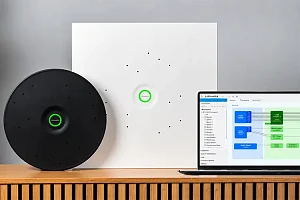
ClickShare Hub, one of the first products built on MDEP, adopts a multi-layer security approach covering hardware, network, and software. On top of MDEP’s secure foundation, Barco adds:
- Secure boot: only trusted software is allowed at startup.
- Firmware encryption: protects the OS from unauthorized access or modification.
- Rigorous security validation: extensive testing to meet enterprise and regulatory requirements.
- Wi-Fi 6E support: improved connectivity and bandwidth for high-quality 4K sharing.
What IT needs to know
- MDEP reduces operational burden: consistent base + predictable updates = less complexity and better standardization.
- Simplified management: policies and compliance with Intune; device lifecycle management via Teams admin center; XMS Cloud for ClickShare-specific controls.
- Security rooted in hardware and platform: attestation, secure boot, and integrity provide a modern trust baseline.
The path forward
As meeting rooms evolve into intelligent, AI-powered environments, organizations need infrastructure that is easy to deploy and secure by design. MDEP provides that foundation; ClickShare Hub builds on it to deliver a managed, secure, and scalable meeting room experience without adding complexity for IT.